You've restructured your pages, added the schema, earned a few off-site mentions, all the structural AEO work. Then comes the question every founder asks next: is any of it actually working?
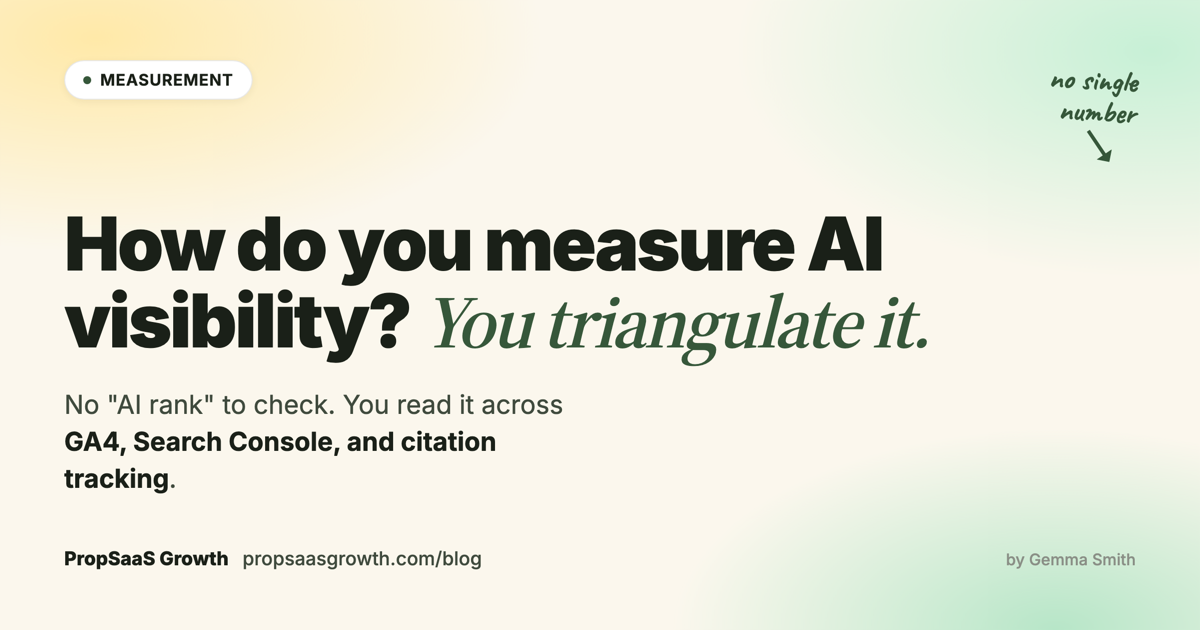
Here is the honest answer: there is no single dashboard for AI visibility. No "AI rank" to check, no one number that tells you whether AI search is putting you in front of buyers. You measure it by triangulating three surfaces: your analytics (is AI sending you traffic), Search Console (is AI surfacing your pages), and direct citation tracking (is AI naming you in answers). This guide covers each one, what it can and cannot tell you, and how to read them together.
The two questions you're measuring
Before you open a single tool, separate two questions that constantly get blurred together. They are measured in different places, and confusing them is why most "AI visibility" reporting is a mess.
One: is AI citing you? When someone asks ChatGPT or Google's AI Overview about your category, does your brand appear in the answer? This happens whether or not the person ever clicks through to you. Most AI answers are zero-click. The citation still shaped the buyer's shortlist.
Two: is AI sending you traffic? When someone does click a link inside an AI answer and lands on your site, that is a measurable visit. It is a small fraction of the citations, but it is the fraction your analytics can actually see.
Citation is the bigger number and the leading signal. Traffic is the smaller number and the lagging one. You need both, from different tools, and you should never collapse them into a single "AI visibility" figure, because they answer different questions. Here is the map of what each surface can and cannot do:
| Surface | What it measures | Its blind spot |
|---|---|---|
| GA4 | Visits from people who clicked a link in an AI answer | Can't see zero-click citations; under-counts when no referrer is passed |
| Search Console | When your pages surface in Google results, AI Overviews included | Doesn't break AI Overviews out from the overall numbers |
| Citation tracking | Whether AI names your brand in answers, click or no click | Only covers the prompts you choose to test |
Measuring AI traffic in GA4
Start with GA4, because it is the surface you already have, and the one most teams misread.
In 2026, GA4 added an "AI Assistant" channel to its default channel grouping. It buckets sessions that arrive referred from a recognized AI assistant: ChatGPT, Perplexity, Gemini, Copilot, and others. Open Reports, then Acquisition, and AI Assistant sits alongside Organic Search, Direct, and the rest. For the first time there is a native, no-setup view of "how many visits did AI send me."
Use it, but know its ceiling. GA4 only ever sees a click. It records the visit when someone follows a link out of an AI answer onto your site. It cannot see the far larger number of times AI named you and the person never clicked. That zero-click majority is invisible to any analytics tool, by design.
It also under-counts the clicks it should catch. Many AI tools pass no referrer, or strip it, so a chunk of genuine AI-referred traffic lands in Direct or shows a source of (not set) instead of being attributed to AI Assistant. You cannot fully fix this. UTM tags do not help, because you do not control how an AI tool links to you.
So treat the GA4 AI Assistant number as a floor, not a count. It is the minimum AI traffic you are getting: useful for watching a trend month over month, not for a precise total. If it is climbing, something is working. If you want a fuller picture, build an exploration that also looks at Direct and (not set) sessions landing on your most AI-relevant pages, and read it as a wide estimate rather than a hard figure.
Measuring AI visibility in Search Console
GA4 tells you about traffic. Google Search Console tells you about surfacing: when and where your pages show up in Google's results, including the AI ones.
When your page is used as a source in a Google AI Overview, those impressions and clicks are counted in your Search Console performance data. The catch: Google folds them into your overall Search numbers and, as of writing, does not break them out separately. You can see that your total search performance moved. You cannot cleanly isolate "this much of it was AI Overviews." It is a real limitation, and worth knowing before you promise anyone a dedicated "AI Overview report" from GSC.
What Search Console is genuinely good for here is the query report. Look for two things. First, question-shaped and long-tail queries: as buyers shift from keywords to full questions, those queries picking up impressions are a sign your content is matching conversational, AI-style intent. Second, and stranger, you will start seeing machine-built queries, things like a topic followed by a long string of -site:reddit.com -site:youtube.com exclusions. No human types that. It is an AI search tool or a scraper querying Google programmatically. Filter those out of your human analysis, but read them as a soft signal: your content is being pulled into machine retrieval for that topic.
One more surface worth a login: Bing Webmaster Tools. It is underused, and it surfaces prompt-style queries that do not always show cleanly in GSC. Register your site there too. It costs nothing and gives you a second window onto how machines are finding you.
There is no "AI rank" to check. You triangulate: what AI sends you, what it surfaces you for, and whether it names you at all.
Direct citation tracking: are you in the answer?
GA4 and Search Console both measure your own property. Neither can tell you the thing that matters most: when a buyer asks an AI assistant about your category, does your brand come up? For that you have to go and look. This is citation tracking, and it is the only surface that measures the zero-click majority. (Earning those citations is its own playbook; this section is about measuring whether it's happening.)
The free method
You do not need a tool to start. The method:
- Write down 20 to 30 prompts your buyers would actually ask an AI about your category: "best [category] software", "[category] tools for [use case]", "[your brand] vs [competitor]", "is [your brand] any good".
- Run each one through ChatGPT, Claude, Perplexity, and Google's AI Overview, with web search on.
- For each answer, log whether your brand appears, how it is described, and which competitors are named alongside you.
- Repeat weekly. It takes about 30 minutes.
That is the entire method, and it is the same one behind our research on how four AI engines cite brands differently. A free spreadsheet and half an hour a week gives you a real, trended citation signal before you spend a cent on tooling. When I ran the method on my own brand, both engines returned zero presence: I Ran My Own AEO Framework on My Own Brand. I Was Invisible.
One thing that method makes obvious: track each engine separately. The engines disagree more than most teams expect. The same prompt produces different brand lists on ChatGPT, Claude, Perplexity, and Google. An averaged "AI citation rate" hides which engines you are winning and which you are invisible on. A 3-surface audit we ran in May 2026 found two of five buyer queries had zero brand overlap across the engines.
Tools that automate it
Once the manual run is your bottleneck, a citation tracker earns its cost. A category of tools (AirOps, Otterly, Peec, Knowatoa, Hall) runs your prompt set across the engines on a schedule and charts the results, typically from $30 to $150-plus a month. They all do the same core job: automate what the spreadsheet does by hand.
AirOps is the one I work in most (I'm an AirOps Champion), and it goes a step past pure tracking: it logs content changes against citation outcomes, so you can see which edits actually moved the needle rather than guessing. But the honest framing holds: every tool in the category measures the problem, none of them fixes it. Buy a tracker when manual time is the constraint, not because the dashboard itself lifts your citations. For the tier-by-tier breakdown of the 2026 landscape and the one question to ask before upgrading, see our companion piece on AI citation tracking tools compared.
Building your own
If you want full control of the data, you can build a tracker. The shape is simple: a script that runs your prompt set through an AI model's API with web search enabled, parses each response for brand mentions, and writes the results to a sheet. We built exactly this for our four-engine research; the Claude side cost about fifty cents in API spend for a full prompt run.
The trade-off is honest. A self-build gives you your own raw data and no subscription, but it needs light engineering to set up and maintain, and consumer interfaces like ChatGPT block automation, so a self-build leans on the engines that expose an API. For most teams a paid tracker is the better use of time. For a team that wants the raw data and has the engineering, a self-build works.
Reading the three surfaces together
None of these surfaces is the answer on its own. Read together, they are.
The most important thing to understand is that they move on different clocks. Citation tracking moves first: restructure a page well and you can see it cited within weeks. Search Console impressions shift next. AI-referred traffic in GA4 moves last, because the clicks follow the citations. A month where your citation rate climbs and your AI traffic stays flat is not a failure. It is the normal order of events. The same lag scales up to the whole channel, which is why traffic and pipeline have decoupled.
So read them as a sequence, not a snapshot:
- Citations trending up, from your tracking, is the leading indicator. It tells you the structural work landed.
- Search Console confirms Google is surfacing you, and shows whether your queries are getting more conversational.
- GA4's AI Assistant channel, read as a floor, tells you the citations are starting to convert into visits. The conversion rate of that traffic tells you whether they are the right visits (the framework for picking the queries those visits should map to lives in our piece on buyer intent keywords that drive SaaS revenue).
The takeaway
There is no single AI-visibility number, and waiting for one is the most common way to stall. What you have instead is three surfaces, each honest about a different question: GA4 for the traffic AI sends you, Search Console for what it surfaces you on, and citation tracking for whether it names you at all. Every one of them is a proxy with a blind spot. Read together, they are enough.
The teams that get a real read on AI search are not the ones with perfect attribution. They are the ones who pick a method, usually the weekly prompt set, and actually run it, week after week, while everyone else argues about whether AI visibility can be measured at all. Start the spreadsheet this week. The trend it gives you in a month is worth more than the dashboard you are waiting for.
The same rule applies to anything else you ship. Decide what you are going to measure before you decide what to build, or you end up like the chat agent we put on this site, working correctly on every edge case and unable to tell you whether it earned a single booking.
If measurement is where you are stuck, our AI Search Visibility service ships the prompt set, dashboard and monthly re-measurement loop.
Frequently asked questions
Can GA4 track traffic from ChatGPT and other AI assistants?
Partly. GA4's "AI Assistant" channel captures referral clicks from major AI assistants including ChatGPT, Perplexity, Gemini, and Copilot. But many AI tools pass no referrer, so a meaningful share of genuine AI traffic lands in Direct or shows as "(not set)" instead. Treat the GA4 number as a floor and a trend, not a precise total. GA4 also only ever sees clicks, not the larger zero-click majority where AI named you and the user never visited.
Does Google Search Console show AI Overview performance?
Only partly. When your page is used as a source in a Google AI Overview, those impressions and clicks are counted in your Search Console performance data. But Google folds them into your overall Search numbers and does not break them out as a separate AI Overview report. You can see that total search performance moved; you cannot cleanly isolate how much of it came from AI Overviews.
What is the cheapest way to measure AI visibility?
A free spreadsheet and a set of 20 to 30 buyer-language prompts, run weekly through ChatGPT, Claude, Perplexity, and Google's AI Overview. For each answer, log whether your brand appears, how it is described, and which competitors are cited alongside it. It takes about 30 minutes a week and costs nothing. Paid citation trackers automate this exact process; they do not measure anything the manual method cannot.
How often should I check AI visibility metrics?
Run direct citation tracking weekly, because it is the leading indicator and citations can shift within weeks of restructuring content. Check GA4 and Search Console monthly, since AI-referred traffic and impressions move more slowly. In all cases, read the trend across several weeks rather than reacting to a single reading.

Gemma Smith, Founder, PropSaaS Growth
SEO, AEO, and content strategy for PropTech, FinTech, and B2B SaaS companies. 10+ years in PropTech. Active engagements with vertical SaaS platforms.